To block dates on your calendar, please:
- Log in to your account
- Enter your email address and password
- Click “My Listing” top right of page
- Click on the Calendar tab of the navigation menu.
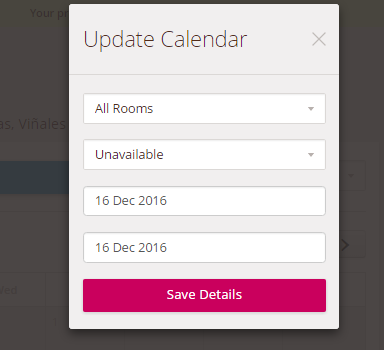
- Click on the start date in the calendar which will reveal a drop-down menu
- Select the room(s) you want to make unavailable
- Click Unavailable
- Select the end date you want the room to be made unavailable until
- Click Save Details
Please note: To make the room available again, follow the same steps and mark the room as Available.
Comments