Offering a discount allows you to set a custom price for a guest who has sent you a booking request.
In order to apply a discount follow the steps below:
- Log in to your account using your email address and password
- Click “Inbox” and select the booking request you want to discount.
- Click the pink button 'Offer Discount'
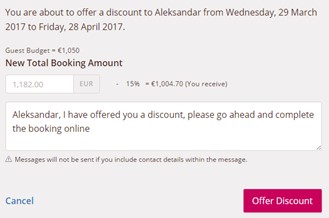
- Apply the discount to the total price of the booking
- Type a message in the box to let your guest know about the discount
- Click 'Offer Discount'
That’s it, you’re done!
Comments